


We’ve been known to say “Archives are expensive!” And they definitely can be. But what does that actually mean?
We have the more obvious costs like staffing to make materials accessible, having an environmentally controlled space to house the materials or a digital preservation system (super spendy!), lights, computers, phone lines, scanners, and so forth, but for this blog post, I’m going to concentrate on the costs of preparing a collection for access.
As typical for the Archivists’ Mantra: It all depends! It can vary pretty widely. All collections have some costs: there’s baseline description that needs to be done to create one of our finding aids. Generally we’ll need to rehouse the collection, that can involve folders and boxes, maybe photograph enclosures, and depending on the media, perhaps other enclosure types as well.
Below are some numbers for a very small hard copy collection (1 folder) but it includes 8 mm film which will need to be digitized for access, so this data can’t be easily extrapolated out to a larger collection that might be solely documents.
Personnel time:
- 3/4 hour: Time spent engaging with donor, learning more about the creator of the collection, talking about what we do and how we do it and how we make things accessible (and why!), and notifying donor when finding aid is complete and online
- 1/4 hour: administrative paperwork such as scanning and filing the deed of gift, and adding the accession data to the collection management database
- 1/4 hour: placing slides in slide enclosure pages, labeling folder, placing folder in collections box
- 2 1/2 hours: Writing content for finding aid, posting it online, adding collection information to the collection management database. This does not include item level description for the contents
- 1/4 hour: selecting images for the Alaska’s Digital Archives
- 2 hours: scanning low resolution images of 22 of the images
- 4 hours: Creating metadata for 22 images placed on the Alaska’s Digital Archives, uploading, editing, and approving the records
That’s 10 hours put into a 1 folder collection, so far. The funding for film digitization isn’t yet available to us, so when or if we get that, managing that process will add some time as well. We don’t automatically scan and load things up to the Digital Archives either, but I had some time next to a scanner while working a reference desk shift and the photos were of damage from the 1964 earthquake which is always of interest, so I took the time to do it with this collection.
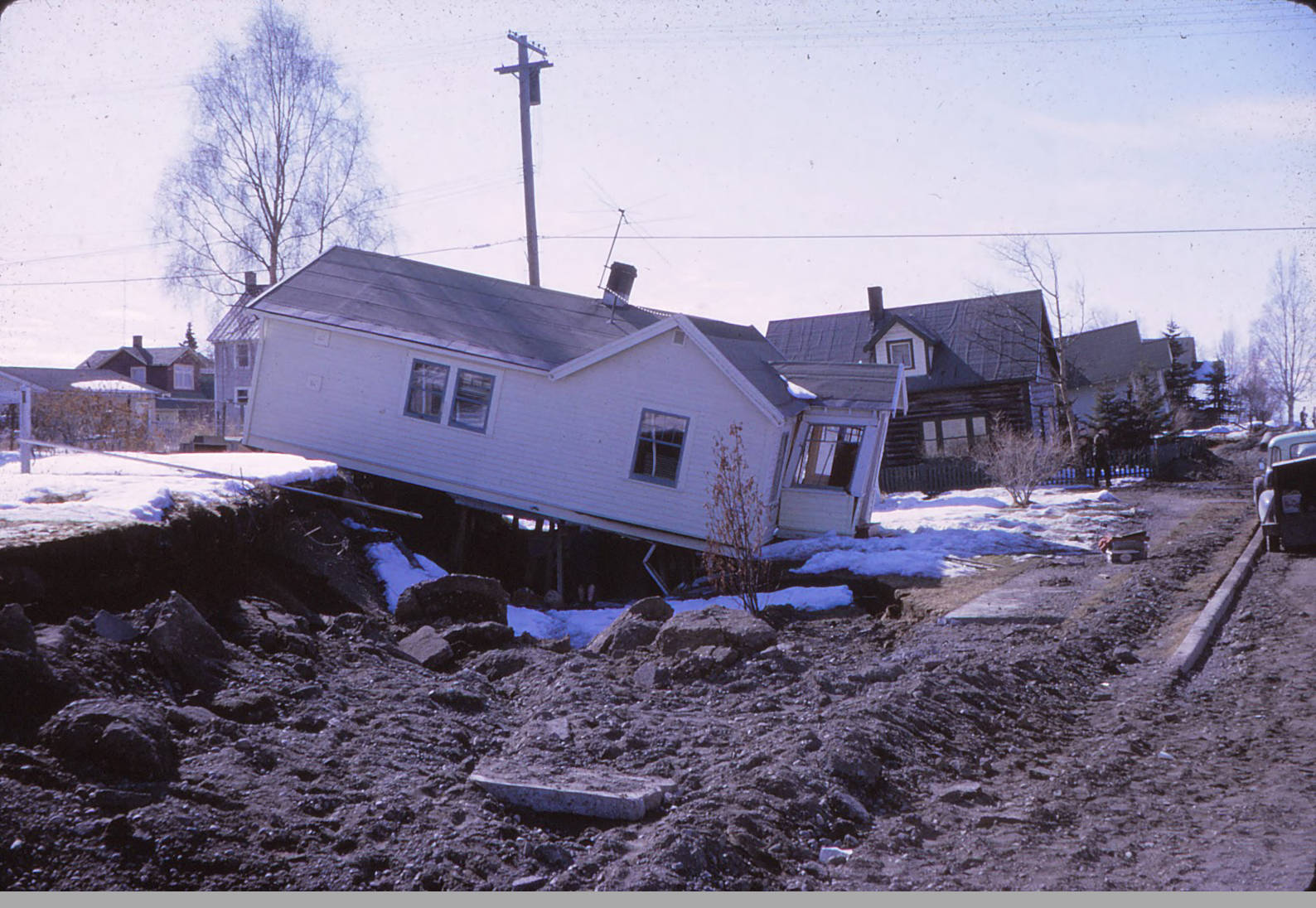
One of the photos that went up on the Digital Archives.
A view of a house damaged by ground dropping near downtown Anchorage after the 1964 earthquake. The fronts of houses further down the street seem to be tilted upward.
Bowles family papers, Archives and Special Collections, Consortium Library, University of Alaska Anchorage.
This is one of our tinier collections. We have a few hundred that are about this size. But most of our collections are bigger than that and we even have a few that are ~500 bankers boxes of materials and a few that are 4-5 TB of files. So as you can imagine, our workload per collection can vary considerably! Since our days are often full of a variety of tasks, and we may only be able to work on collections in short bursts in between other projects and obligations. Which means that while tiny collections might get done in a few days to a week, bigger collections can take a very long time.
Speaking of a long time and other calls upon our time, I originally started drafting this blog entry in April 2024, and just now got back to it!